If your logo images have different widths and you want to display them in their original proportions without being cropped or forced into the same size, you can enable the Variable Width option. This allows each logo slide to use its own width instead of applying a fixed width to every item in the carousel.

The Variable Width feature is especially useful when your carousel contains a combination of landscape, portrait, or square logos, helping maintain a natural and professional appearance.
Follow the steps below to enable the Variable Width option:
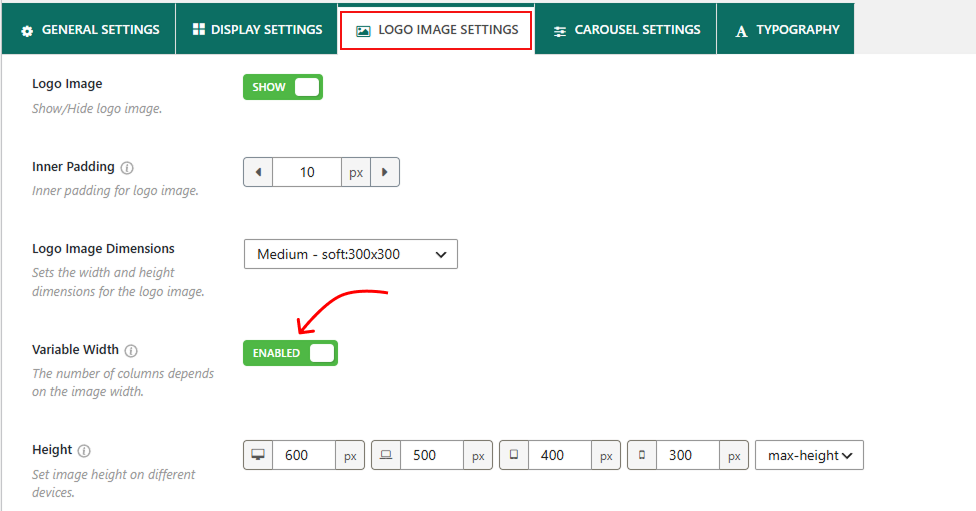
- Navigate to the Logo Image Settings tab in the Logo Carousel plugin.
- Scroll down to locate the Variable Width option. Toggle the Variable Width option On.
- Once finished, save or update your carousel.
Once enabled, each logo will automatically adjust its width based on its original dimensions, creating a more flexible and visually balanced carousel layout.